
National 90-Day Campaign to Cleanse and Enrich Land Data
On September 9, the Ministry of Natural Resources and Environment announced that it had, in coordination with the Ministry of Public Security, issued a plan to implement a campaign to enrich and cleanse the national land database.
Over 90 days (from September 1 to November 30), the Ministry of Natural Resources and Environment, the Ministry of Public Security, and People’s Committees of provinces and cities nationwide will review and cleanse the entire land database built over various periods in 2,342 out of 3,321 commune-level administrative units. Simultaneously, they will collect, digitize, and create data for Land Use Right Certificates (residential and housing land) that have been issued but not yet incorporated into the database.
The campaign aims to lay the foundation for developing e-Government and state management tools for land, serving transparent, effective, and accountable guidance and administration at all levels and sectors.
In addition to improving the quality of public land services, the campaign will help reform and streamline land administrative procedures for citizens and businesses in the electronic environment.
According to the Ministry of Natural Resources and Environment, the national land database will be connected, shared, and synchronized with the National Database and sectoral databases to ensure seamless operation among agencies within the political system for effective exploitation and use.
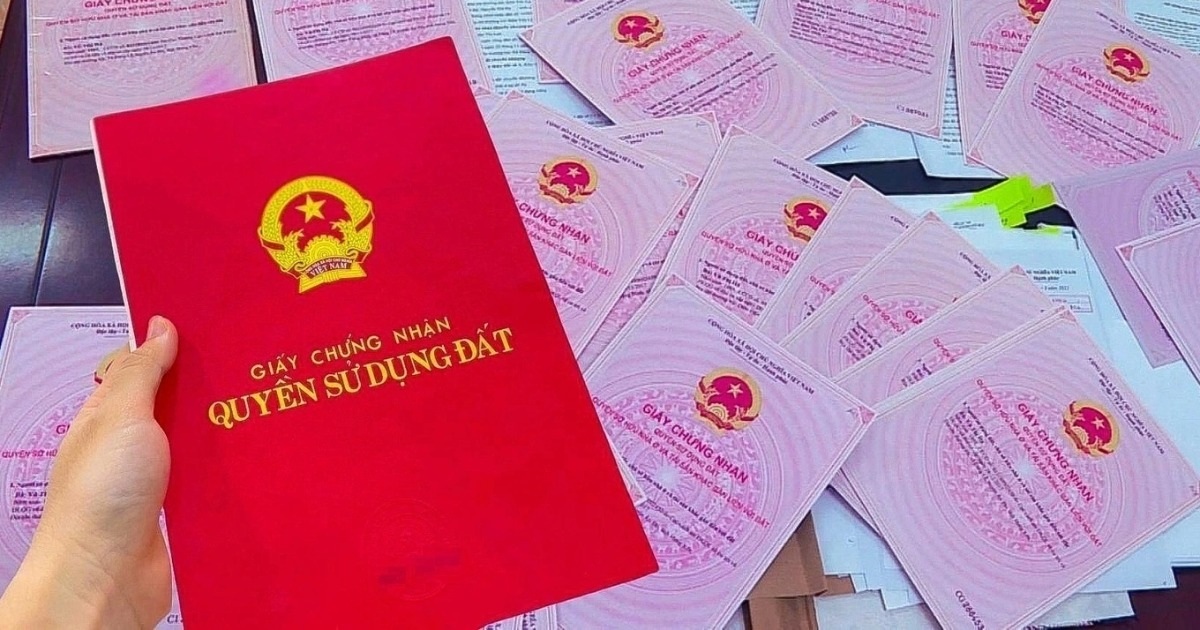
Initially, to carry out the land data cleansing and enrichment campaign, citizens were required to provide photocopies of their Land Use Right Certificates (Red Books) for commune-level authorities to collect, digitize, and create electronic data for parcels that had been issued Red Books.
However, this step raised concerns among many due to legal loopholes, potential risks to assets, and the possibility of future disputes and damages.
To address this issue, the VNeID application (the electronic identification app on mobile devices) recently added a new feature, allowing users to declare and submit Red Book information to state agencies.
This helps citizens save time and secure their information when submitting Red Books to state agencies, thereby accelerating the nationwide data synchronization process for land information.
Follow these steps to submit your Red Book information to state agencies via VNeID
After updating the VNeID app to the latest version, you can follow these steps to submit your Red Book information to state agencies:
– First, activate the VNeID app on your smartphone and log in to your account.
– On the main interface of the app, tap “Other Services” under the “Service Group” section, then select “Provide Information to State Agencies” from the list that appears.
– Enter your VNeID app’s security PIN to proceed.
– Tap the “Create New” button on the next screen, then tap “Select Information Type” and choose “Land Use Right Certificate” from the dialogue box that appears.
– In the next step, fill in the appropriate information in each blank field. If declaring on behalf of someone else, enter the name of the certificate holder and the reason for declaring on their behalf. Similarly, if the land use right certificate belongs to an organization or business, fill in the organization’s information in the blank field.
Enter the certificate number and the land parcel address (the old address according to the former three-level administration and the new address according to the current two-level administration).
Next, take clear photos of all pages of the Red Book and tap the “Attach File” button to upload them to the declaration record.
When you tap the “Attach File” button, select “Photo Library” from the menu that appears to choose the Red Book images you just took to upload to the VNeID app. Accepted image file formats are .PNG, .JPG, or .JPEG, and the total size of all image files must not exceed 3.5MB.
Finally, check the “I confirm the above information is correct” option and tap the “Send Request” button.
You will receive a “Submit information successfully” notification, meaning the Red Book record has been sent to the state agency. Users can follow the steps outlined above to continue declaring if they possess multiple Red Books.